Carry On Together System Requirements
Minimum and recommended PC specs, storage, Deck status, and practical notes for co-op hosts.
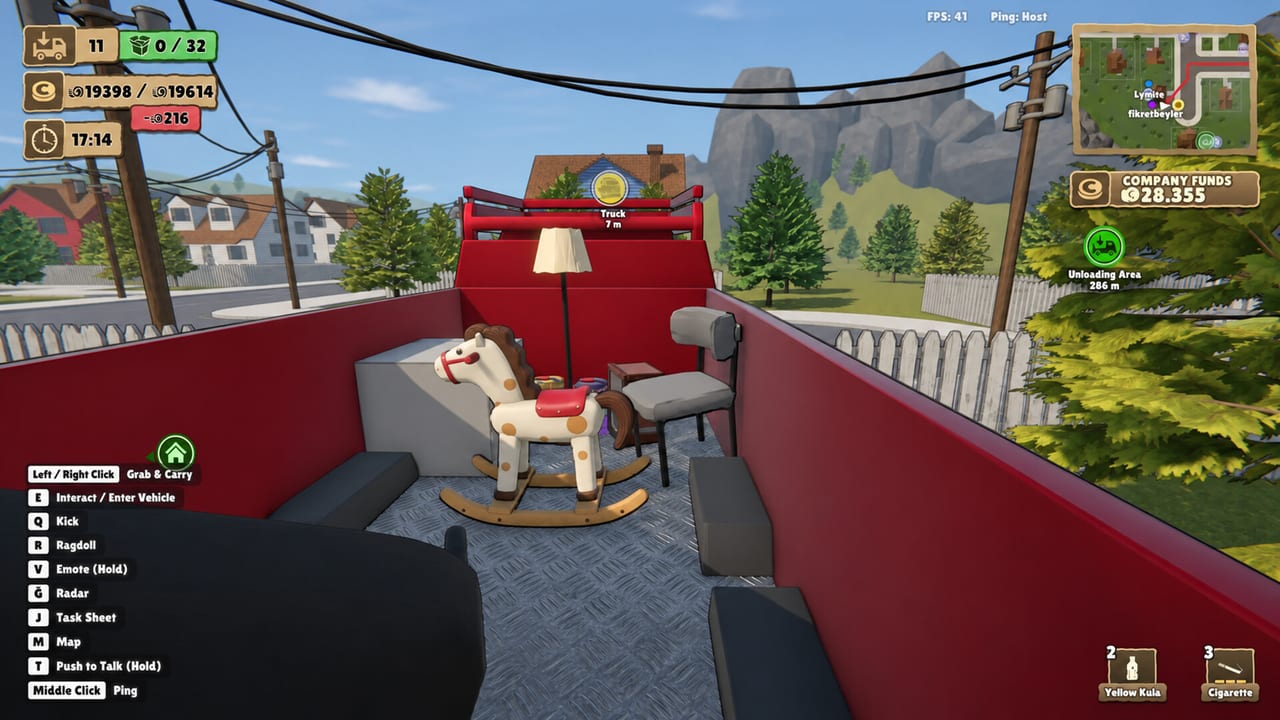
This page mirrors the public Steam system requirements for Carry On Together (app 4776500) so you can sanity-check every PC in a 1–4 player crew before a moving night. The game is a physics-heavy co-op title from Butiq Games / Red Axe Games. Treat the full product as upcoming until Steam unlocks it; the free demo (app 5338620) is available now for practice. Return to the Tools Hub for launch-day checklists, or Release Status for the timeline.
Specs below follow the full game’s published Steam table. Demo store pages have shown closely related hardware lines with occasional differences (for example extra AMD examples or higher storage quotes)—when in doubt, leave free disk space and prefer the stricter machine in your group.
Minimum requirements
| Component | Minimum |
|---|---|
| OS | Windows 10 (64-bit) |
| Processor | Core i5-6600 |
| Memory | 8 GB RAM |
| Graphics | GTX 970 |
| DirectX | Version 11 |
| Storage | 2 GB available space |
If your PC sits near this floor, expect to use lower graphics presets. Demo patch notes explicitly called out new graphics options and a low-end-friendly preset so carrying heavy items would hitch less on modest hardware.
Recommended requirements
| Component | Recommended |
|---|---|
| OS | Windows 11 |
| Processor | Intel Core i7-8700 |
| Memory | 8 GB RAM |
| Graphics | GTX 1070 |
| DirectX | Version 11 |
| Storage | 2 GB available space |
Recommended still lists 8 GB RAM—do not assume you need 16 GB from this table alone, though closing Chrome monsters never hurts during physics chaos. A GTX 1070-class GPU (or better) is the comfort target for smoother frame times while two players swing a sofa through a doorway.
Storage notes
- Full game Steam listing: 2 GB available space.
- Demo pages have cited 3 GB in some store localizations—keep extra headroom if you keep both demo and full installs.
- SSD installs reduce stutter risk when streaming town assets; not a formal Steam requirement, just good practice for co-op hosts.
Steam Deck compatibility
Steam Deck compatibility is listed as Unknown. That means Valve has not published a Verified / Playable / Unsupported badge you should rely on yet. Deck owners should:
- Wishlist and watch the compatibility section on the store page for changes
- Test the demo first if it runs on their device software stack
- Prefer docked play with a controller if handheld thermals struggle in physics scenes
- Avoid promising a four-player Deck host night until the badge and your own frame times look acceptable
This wiki will not invent a Deck rating. When Steam updates the badge, recheck the store and adjust your crew plans.
Controllers and input
Carry On Together is built around precise grabs, rotations, and vehicle driving. Keyboard and mouse are the safe default for PC parties. Controllers may be usable depending on build and Steam Input configuration, but do not assume every prompt is controller-first until you verify in the demo:
- Test grab, rotate, jump/climb-related actions, and truck controls before a scored job
- Mixed input lobbies (one mouse player, one controller player) need clearer voice callouts—see the Multiplayer Guide
- Middle-mouse pinging added in Demo 1.7 is a mouse-centric QoL feature; controller users should agree on an alternate ping or voice habit
For binding familiarity, keep Controls open during your first session.
Co-op host performance tips
Physics simulations punish unstable frame times more than pretty menus do.
- Host on the strongest stable PC, not necessarily the person with the flashiest RGB.
- Cap background downloads (Steam, Windows Update) during jobs.
- Start on a medium or low preset; raise settings only after a clean duo carry.
- Prefer wired networking for the host when possible.
- After demo or full-game patches, re-test one training-area lift—see Demo Updates for why carrying feel changed in October 2026 patches.
Solo vs multiplayer hardware expectations
- Solo — Minimum GPU may be enough to learn routes and packing order.
- Duo — Two-player carries stress CPU/GPU differently; hitching on one machine desyncs the shared item.
- Trio/quad — More avatars, more voice overlay, more objects in motion; lean toward recommended GPU class for the host.
Session size rules (1–4 online + solo) are explained on the Players Hub.
OS and DirectX checklist
- 64-bit Windows 10 minimum; Windows 11 on the recommended line
- DirectX 11 required per the Steam table
- Keep GPU drivers reasonably current (clean install if you see shader stutter after a big driver jump)
- Verify Game Mode / overlays (Discord, NVIDIA, Steam) if you get unexplained hitching
What these specs do not tell you
- Exact CPU comparisons versus every AMD SKU (some demo pages list Ryzen examples; the full-game table you should quote first is the Intel-centric Steam min/rec above)
- Whether ultrawide or multi-monitor setups are supported
- Final post-launch patch requirements after highland village / high-tech city content ships
When regions beyond the demo town unlock in the full game, revisit this page and Steam’s live requirements box.
Related prep links
- Tools Hub — launch-day checklist
- Getting Started — first-hour plan
- Driving Tips — truck side of performance feel
- Links Hub — Steam store and support socials
Bottom line
If you clear Windows 10 / i5-6600 / 8 GB / GTX 970 / DX11 / 2 GB, you meet the published minimum. If you sit near Windows 11 / i7-8700 / 8 GB / GTX 1070, you match the recommended comfort band. Steam Deck remains Unknown. Test with the demo, update graphics presets after patches, and host on the steadiest machine in the crew so the only thing that breaks is the toilet you meant to break.
Frequently Asked Questions
Quick answers for movers, drivers, and co-op crews.
What are the minimum specs for Carry On Together?
Windows 10, Core i5-6600, 8 GB RAM, GTX 970, DirectX 11, and 2 GB of storage, per the Steam minimum table.
What are the recommended specs?
Windows 11, Intel Core i7-8700, 8 GB RAM, GTX 1070, DirectX 11, and 2 GB of storage.
Is Carry On Together Steam Deck verified?
Compatibility is listed as Unknown. Check the live Steam page for badge changes and test the demo yourself before promising Deck hosting.
How much disk space do I need?
The full game listing asks for 2 GB free. Keep extra space if you also keep the demo installed.
Can I play with a controller?
Keyboard and mouse are the safe PC default. Test controller binds in the demo before a ranked-feeling co-op night, and agree on ping/callout habits in mixed-input lobbies.